
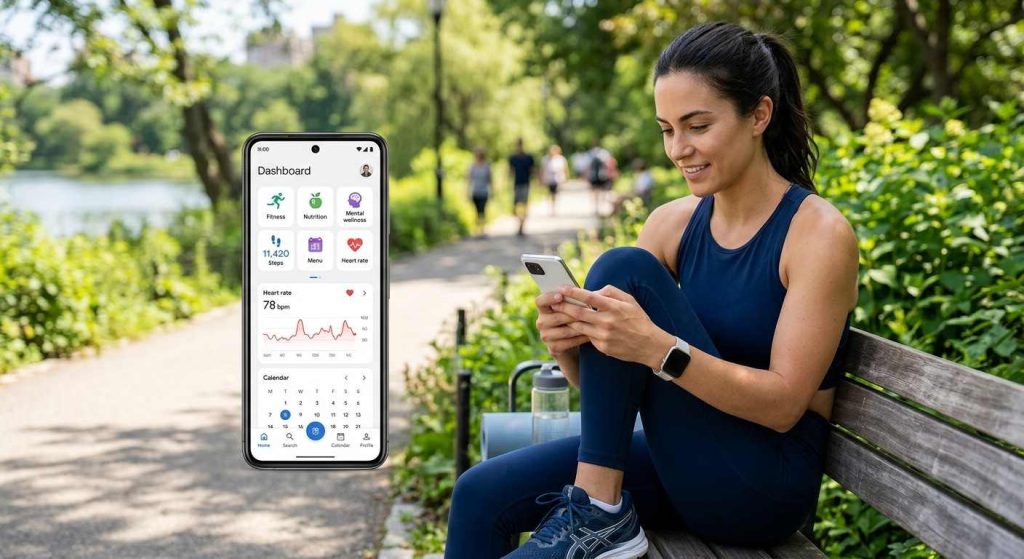
Discover the best health apps for fitness, nutrition, and wellness. Compare top options, features, and tips to choose the right app for your goals.
What Are the Best Health Apps?
The best health apps will help you monitor your progress, learn about your behavior patterns, and set realistic goals for your health. Choosing the best app would be based on whether you want to become more active, change your eating habits, get more sleep, or manage your health-related data.
Here are some popular options to consider:
| Health goal | Recommended apps | Best for |
| Running and outdoor fitness | Strava, Runkeeper | Recording runs, routes, and performance |
| Guided fitness | Apple Fitness+, Runna | Structured workouts and training plans |
| Strength training | Strong, Hevy | Logging sets, reps, and weights |
| Fitness coaching | PUSH, Gymverse | Workout guidance and training support |
| Nutrition tracking | MyFitnessPal, Lifesum | Monitoring meals and nutritional intake |
| Meal planning | PlateJoy | Organizing meals around personal preferences |
| Macronutrient tracking | My Macros+ | Tracking protein, carbohydrates, and fat |
| Food awareness | Fooducate | Learning about food quality and nutrition |
| Hydration | Waterlogged | Recording daily water intake |
| General health data | Google Health-related tools | Reviewing supported health and activity information |
There is no one-size-fits-all app. While an app with features like route tracking would suit a runner better, a person training to build muscle mass might find the app that keeps track of workouts to be more useful. Nutrition trackers could be more useful for people wanting to change their diets.
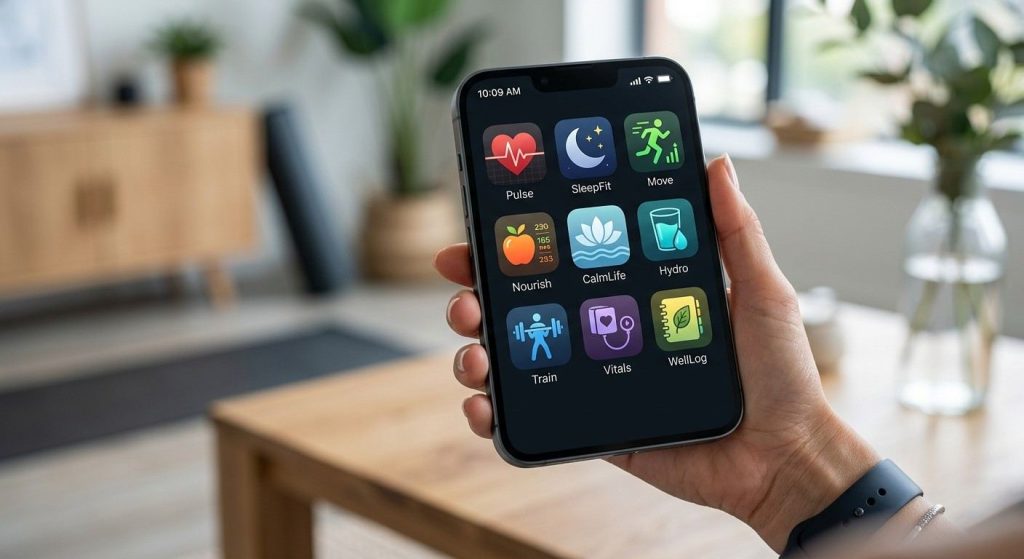
The Best Fitness Apps
Fitness apps help users keep track of their workouts and measure their progress by following a workout schedule. Depending on the platform, it could provide training programs, connect with wearables, track activities, and analyze performance.
1. Strava: Best for Running, Cycling, and Outdoor Activities
Strava is an activity tracking application designed for runners, cyclists, and other outdoor enthusiasts. The app tracks all of your supported activities and provides various details, including your distance covered, speed, time taken, routes traveled, and more.
Key features:
- GPS tracking of activities on compatible devices
- Route tracking and performance measurement
- History of activities and comparison of improvements
- Social components for sharing workouts and meeting other athletes
Strava is suitable for those who like outdoor activities and want to track their progress. Certain analysis and route planning options will need a premium subscription.
2. Apple Fitness: Best for Apple Users
Apple provides various fitness products such as the Fitness app, Apple Watch, and Apple Fitness+. The products have various functions, as the Fitness app tracks activity, while Apple Fitness+ provides workout sessions. The products include the following features:
Key features:
- Summary of activities and progress measurement with compatible devices
- Providing workout sessions via Apple Fitness+
- History of workouts and activity goals
- Compatible with Apple products
The fitness apps provided by Apple are especially effective for those who use an iPhone or Apple Watch. Make sure that your devices are compatible.
3. Google Health and Fitbit Tools: Best for Supported Activity Tracking
Fitbit devices are part of Google’s health and fitness portfolio. Based on the type of device and the setup of one’s account, it is possible to check information related to activity, exercise, heart rate, sleep statistics, and other supported metrics.
Key features:
- Daily activities and step counters
- Workouts and exercises
- Sleep and heart rate insights supported
- Compatible with Fitbit devices
The capabilities vary depending on the device, application, geographic location, and type of subscription plan. Make sure you understand what measurements are supported by your device before choosing one.
4. PUSH: Best for Structured Strength Training
The PUSH range of fitness equipment could provide planning tools and performance tracking, depending on the particular equipment. Users of this type of fitness app should verify whether they have all the features needed.
Potential benefits:
- Structured workout sessions
- Performance records of workouts
- Feedback on training where available
- Consistency monitoring tools
In case fitness apps with similar names have different capabilities, users should confirm the exact app and the capabilities provided before downloading it.
5. Runna: Best for Running Training Plans
Runna provides guidance for structured running programs for various objectives such as improving performance, preparation for a competition, and consistency improvement.
Key features:
- Goals-focused running programs
- Guided workout sessions
- Workouts scheduling
- Suitability for users of various experience levels
Runna could be suitable for athletes preferring structured training programs to logging separate workouts. Exercise intensity needs to correspond to one’s physical fitness level. Beginners should increase distance gradually to avoid injuries.
6. Strong: Best for Simple Workout Logging
Strong allows users to log workouts and keep track of progress made during strength workouts in the gym. The app may prove helpful for those individuals who have workout routines and need to document them.
Key features:
- Exercise and workout logging
- Recording sets, repetitions, and weight
- Workout history
- Aids in tracking progress with strength workouts
Strong can be recommended for those users interested in tracking their lifts without having an intricate training program. Take note of the feature limitations for both free and paid versions.
7. Hevy: Best for Tracking Gym Progress
Hevy is yet another strength workout mobile application that is aimed at assisting users in planning their workouts and in documenting their training sessions.
Key features:
- Custom exercise routines
- Recording exercises, sets, and repetitions
- Logging your workouts and tracking progress
- Library of exercises and managing routines
Hevy could be a good choice for those who are new to exercise and need a proper workout log, as well as experienced gym members following a well-thought-out program. Maintaining a log is good for tracking one’s progress, although proper form and recovery cannot be overlooked.
8. Runkeeper: Best for Everyday Runners
Runkeeper assists runners in logging running activities as well as other available activities. It is a simple tool and can therefore be utilized by individuals who wish to log their distance, pace, duration, and consistency.
Key features:
- GPS activities tracking
- History of running
- Goals and progress
- Training with available plans and features
Runkeeper is a good choice for people building a routine of running. Check out location permissions and battery consumption when using GPS outdoors.
9. Gymverse: Best for Guided Gym Workouts
Gymverse is a fitness application that will test whether you need assistance in exercising and having a well-planned gym session. The applicability of this application is based on the library of exercises, customizations, and tracking capabilities of the existing version.
Before opting for Gymverse, you need to consider if its offerings fit your level of experience, available equipment, and goals. It is important for an effective app to assist you in working out safely and not push yourself to extremes.
What Makes the Best Fitness App?
The app should allow exercise to be easier organized and the progress to become clearer. Four main factors are crucial for choosing a fitness app, namely usability, meaningful measurements, accurate tracking, and low price.
Ease of Use
Select a mobile application that is user-friendly and has clear controls. You must be able to launch a training session, record its progress, and analyze its results without additional effort. An app that integrates well into your life is more likely to contribute to consistency.
Appropriate Metrics
The best health and fitness tracking apps monitor meaningful data. Here are examples of what information might be needed:
- Distance, speed, time, and route for runners.
- Sets, reps, weight, and rest time for strength sports.
- Activity minutes and number of steps for general fitness users.
- Sleep duration tendencies and training history for people who work on their recovery.
Additional measurements do not guarantee improved results. Concentrate on the data that allows you to make decisions.
Accuracy and Reliability
Accuracy will vary based on device type, sensors, GPS quality, app settings, and type of activity. Wrist devices might estimate some readings instead of directly measuring them. Consider any readings from wearables as valuable indicators, but not as clinical readings. You should use a medical device or consult a doctor for clinical information.
Affordability
Consider the free vs. subscription features offered by apps as well as the cost of any optional features. There are free apps that offer useful basic tracking, but there are also apps where more detailed tracking is only available through paid subscriptions. Get an app that has enough value without trying to sell you anything.
Device Compatibility and Privacy
Make sure that the app is compatible with your smartphone, smartwatch, or fitness tracker. Check the app’s privacy settings and make sure you do not give permissions to use data that is not needed. Health data is very sensitive data, so do not give unnecessary permissions.
Best Health Apps for Beginners
Beginners should be on the lookout for applications that have user-friendly directions, clear progress reports, and realistic goals per day. A very simple activity tracker or workout application can help people establish their routine without being bothered with advanced statistics.
People should start with one behavior at a time, like walking every day or doing two sessions of strength training per week. After becoming regular with this habit, other features can be added.
Best Health Apps for Busy Professionals
Individuals who have hectic schedules may need apps that offer short fitness routines, fast meal planning, and flexible reminders. Integration with the calendar and quick progress updates will help make healthy living easier around work obligations.
Find tools that save you time instead of demanding extensive input of data every day. A useful app should fit into your life, not become one more thing to deal with.
Best Health Apps for Older Adults
Older people may require health apps with legible fonts, easy navigation, convenient controls, and helpful reminders. Depending on what they may need, suitable features may be activity monitoring, medication schedules, appointment management, or sharing selected health data with caregivers.
Individuals dealing with chronic diseases may need to find out whether the application suits their needs and discuss its monitoring features with a health care professional.
Best Health Apps for Athletes
Athletes generally require more information about training compared to ordinary people who just exercise for fun. Based on their sports, the features that will be helpful include training load, speed, heart-rate trend, recovery, and workout plans.
Some running applications like Strava and Runna can be used for training purposes, while some weight-lifting applications like Strong and Hevy can be used for gym session recordings. An athlete needs to assess whether the information justifies his or her training.
The Best Diet and Nutrition Apps
Nutrition apps can assist users in being aware of their eating behaviors, meal planning, and nutrient tracking. These apps can help in achieving goals like having better-balanced meals, more protein, and even consistent hydration.
Still, food databases can have incorrect data, and calorie calculations cannot take into consideration the individual needs of every single person. Use the tools offered by nutrition applications as approximate recommendations.
1. Lifesum: Best for Everyday Nutrition Habits
The Lifesum app emphasizes nutrition practices and behaviors related to food tracking. Based on the specific features of the app and its subscription, it might assist you in logging your meals, analyzing your dietary plans, and evaluating your nutritional choices.
Key benefits:
- Logging of meals and foods
- Dietary and eating behavior analyses
- Analysis of dietary plans
- Development of routines
This app might be a good option for those who need professional assistance in terms of nutrition practices on a daily basis. Pick up a healthy diet plan.
2. MyFitnessPal: Best for Food and Calorie Tracking
The most recognizable aspects of MyFitnessPal include its food journal and nutrition tracking capabilities. Users can track their meals and see estimated calories and macros based on what is currently offered by the app.
Key benefits:
- Food and meal tracking
- Calorie and nutrient calculations
- Review of past meals
- Compatibility with fitness services
Using the tool MyFitnessPal may allow people to find patterns in their eating habits. The information stored in the database might be inaccurate, as it depends on the food provided by users.
The process of calorie counting is not always obligatory for all individuals. Sometimes, the act of calorie counting may become stressful for a person.
3. PlateJoy: Best for Personalized Meal Planning
PlateJoy concentrates on providing help in organizing meals according to user preferences and nutritional needs. Availability of the service varies depending on the region.
Key benefits:
- Meal-planning assistance
- Support for food preferences
- Recipe organization
- Grocery-planning tools where available
PlateJoy will be helpful to those who waste a lot of time thinking about what to cook. See if the service can meet your family’s and regional needs.
4. My Macros+: Best for Macronutrient Tracking
My Macros+ is developed to meet the needs of those people who need to keep track of macronutrients, including proteins, carbohydrates, and fats.
Key benefits:
- Tracking foods and nutrients
- Macronutrient tracking
- Tracking meal history
- Nutrition goal support
This application might be helpful for athletes or people who have a nutrition program. The proper amount of nutrients for a person is defined based on such things as age, physical activity, health condition, and personal goals.
5. Fooducate: Best for Learning About Food Choices
Fooducate has specialized in food education and providing knowledge about nutrition information. It is recommended to check Fooducate’s availability and features prior to selecting it since they are constantly changing.
Potential benefits:
- Nutrition information and food education
- Resources to compare foods
- Nutrition label information
- Aids for becoming a more educated shopper
The food labels will help you compare different foods; however, one single number or score is not enough to judge whether or not the food is right for your diet.
How Health Apps Use Artificial Intelligence
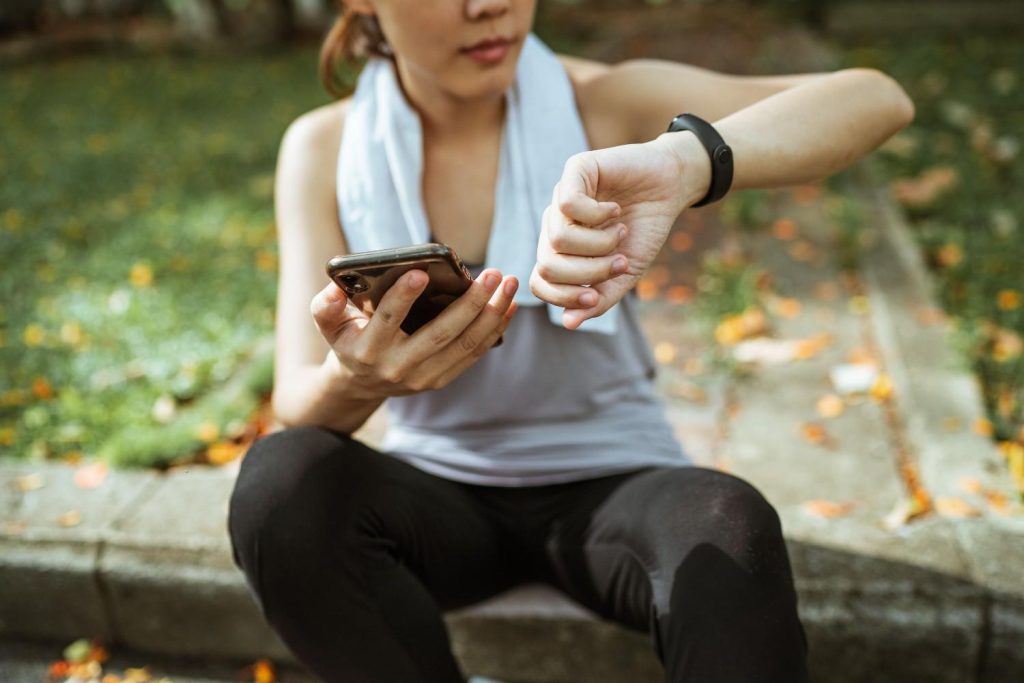
Some current health applications employ AI technology to analyze the user’s information, generate routines, make personalized suggestions, or highlight patterns. It all depends on what the particular application can do. The user may get assistance from such applications:
- Adjust workout plans according to your activity.
- Plan meals according to your preferences.
- Detect patterns in your sleep or workout history.
- Get alerts according to your habits.
- Summarize relevant health data for analysis.
AI recommendations can have limitations. A health application can misinterpret incomplete data, make inappropriate recommendations, or fail to take into account factors requiring clinical judgment. Always read your recommendations carefully and seek advice from a specialist when the decision impacts your well-being.
How I chose the best health apps
Ease of use
Efficient apps record workouts or food intake in several touches. Look for a user-friendly interface, compatibility with a smartwatch, and a recording process that flows naturally whether you are at the gym or out running or hiking.
Appropriate metrics
Choose metrics that match your goals. Distance and pace are critical for runners, sets and weights for bodybuilders, calories for those who control their nutrition. The more detailed your recordings become, the less value you get from using an app.
Accuracy
Not even any consumer-grade application can rival a lab test. GPS trackers, heart rate monitors, and calorie calculations have errors associated with them. Pick applications that work in tandem with an accurate wearable device, allow entry corrections, and explain target-setting methodology.
Affordability
Consider the free plan, the monthly subscription fee, and the annual subscription fee of the application. Many applications have regional pricing schemes, and hence the checkout page should be examined before subscribing to an application. Lifetime offers for Hevy and Strong offer value after about three years of usage.
When Healthcare Providers Build Their Own Apps
The healthcare providers could design or contract for apps that will facilitate patients’ ability to use their services and be reminded about appointments. This way, digital conveniences can become associated with a particular health provider. Examples of common functionalities include:
- Appointment management: View, schedule, or change appointments where supported.
- Patient records: Access selected test results, prescriptions, or visit summaries.
- Remote consultations: Communicate with a clinician through supported video or messaging tools.
- Treatment reminders: Receive prompts related to appointments or clinician-approved care plans.
- Patient education: Read information relevant to a condition, procedure, or recovery plan.
A provider-specific app is more useful than a general wellness app for accessing a specific clinic or hospital. However, before you use any app of such a kind, make sure that you understand which company it is made by and the rules of confidentiality and ways to contact someone in case you have problems with your app. It should provide help in communication and treatment, not take the place of diagnosis and emergency care.
Are Free Health Apps Good Enough?
Yes. The free versions of health apps are sufficient for those who require simple tracking of their activity levels, exercise routines, food intake, and water consumption. The paid version of an app may offer additional programs, deeper analysis, and/or more comprehensive reports, but this does not guarantee improved health. Think about whether you need to pay for:
- Does the free version cover my main goal?
- Will I use the premium features regularly?
- Does the subscription provide information I can act on?
- Can I cancel easily if the app no longer helps?
Select according to your needs, rather than the number of functions or the popularity of the app.
The Future of Health and Wellness Apps
Health apps are constantly developing together with smartphones and wearable devices. There are several trends that influence the market.
More Personalized Recommendations
Apps might start taking into account individual habits, preferences, and goals selected by users when offering suggestions. Personalization can help make recommendations more convenient, but it is important to consider individual restrictions and data accuracy in this case.
Better Integration With Wearable Devices
Connected devices might help integrate information about physical activity, sleep tracking, and selected physiological data within one application. Integration might save time on entering information manually, yet measurements vary between devices.
Greater Access to Digital Healthcare
Healthcare-provider applications could allow easier access to appointment scheduling, selected records, and telemedicine services. Accessibility depends on the healthcare system, healthcare provider, and region.
Increased Attention to Privacy and Transparency
With the increasing amount of personal information that apps will collect, it is imperative to give an explanation to users regarding how their data is collected, shared, stored, and disposed of. Privacy policies must continue to play a significant role in selecting a health app.
Technology may make information easier to manage, but practical results will depend on the accuracy of the data, appropriate guidelines, and reasonable habits.
Conclusion
The best health apps depend on your fitness goals, nutritional needs, lifestyle, and budget. Apps such as Strava, Runkeeper, Strong, Hevy, MyFitnessPal, and Lifesum offer different ways of helping you track your progress and develop healthy habits. Compare their characteristics in terms of the features, accuracy, compatibility, costs, and data privacy policy before making your choice. Begin using the health app that suits your lifestyle, track your progress consistently, and analyze information provided by it together with other healthy decisions and healthcare professionals’ recommendations.
Sources
- Android Authority: Fitbit is now Google Health
- Android Authority: Google Health Premium price and features
- Android Central: the Fitbit app becomes Google Health
- Tom’s Guide: Fitbit app is now Google Health
- Wearable Converter: what changed in the Google Health rebrand
- Wikipedia: Apple Fitness
- YourStory: Apple Fitness+ expansion to 49 countries
- Runner’s Picks: Strava pricing in 2026
- Subger: Strava Premium pricing
- MobileSyrup: Strava acquires Runna
- The 5K Runner: Runna and the Strava bundle
- Yespress: Runna company profile
- SensAI: Hevy vs Strong in 2026
- SensAI: Strong app review
- SensAI: fitness app pricing and free tiers
- TechRadar: PUSH review
- App Store: PUSH Workout & Gym Tracker
- App Store: Gymverse
- App Store: ASICS Runkeeper
- RecurDash: Lifesum pricing
- NutriScan: Lifesum Premium review
- Zapier: best fitness apps